Blog
Lowline is now Linert 2.0
A tab & score editor for bands, with guitar this time. Plus what current users need to know
- What's new in Linert 2.0
- How the free update works if you already use Lowline
- What to do if the app doesn't reopen after updating
Lowline started as a tab editor for bass. With version 2.0 it handles guitar too, and it has a new name: Linert, a tab & score editor for bands.
The idea came from writing band scores with my bandmates. It was a lot of work, and I kept wishing there were an easier way to do it. So I added guitar parts to Lowline and put everything into one app.
If you already use Lowline, here's the short version:
- The update is free. There's nothing extra to pay
- Your songs, settings and license carry over. You can keep editing bass parts exactly as before
- On Mac, the app may not reopen after the update. Nothing is broken. Here's what to do
01
Who's who
There are a few more names now, so let me sort them out first.
| Name | What it is |
|---|---|
| Linert | The app. A tab & score editor where guitar and bass parts live in the same song |
| Lowline | The bass tab editor, and the license that lets you edit bass parts in Linert. If you bought Lowline, this is the key you already have |
| Highline | The guitar tab editor, and the license that lets you edit guitar parts. New in 2.0 |
| Tightline | A practice tool that scores your playing against the tab. The web version is free |
It's one app, and your licenses decide which parts you can edit. Lowline isn't going away. It's still the name of the bass editor.
02
If you already use Lowline
Everything Lowline did is still here, in a new interface. Writing bass parts, playback, drafting tab from a recording, PDF and video export all work the way they did.
On Mac, the update arrives automatically
When the update is ready, you'll see the usual window. Updating renames the app from Lowline to Linert.
If the app doesn't reopen
If nothing opens after you click "Restart Now", open Linert from your Applications folder. If you kept Lowline in your Dock, drag Linert there to replace it.
If you click "Later", the update installs the next time you quit. After that, open Linert from your Applications folder the same way.
Either way, the update has finished, and your songs, settings and license are all still there.
On Windows, it comes through the Microsoft Store
You'll get it as a normal Microsoft Store update.
Your songs still open
- Songs in your library folder show up just as before, and the folder stays where it is
- .btab files open as usual. As long as a song is a single bass part, ⌘S saves it back to the same .btab
- If you add something .btab can't hold, like a guitar part or repeat signs, Linert tells you and saves a new .linert file instead. The original .btab stays as it was
- Anything you closed in Lowline without saving is waiting under Continue working on the start screen
A few shortcuts changed
Many shortcuts now match Guitar Pro 8, so switching between the two feels familiar. These are the ones that changed most:
| Lowline 1.x | Linert 2.0 | |
|---|---|---|
| Loop playback | C | ⌘L or F9 |
| Library | ⌘L | ⇧⌘L |
| Add a chord | Chord button | C |
| Palm mute | M | ⇧P |
⇧M now mutes the current part. If the sound suddenly cuts out, press ⇧M again. Press ? any time to see every shortcut. On Windows, read ⌘ as Ctrl and ⇧ as Shift.
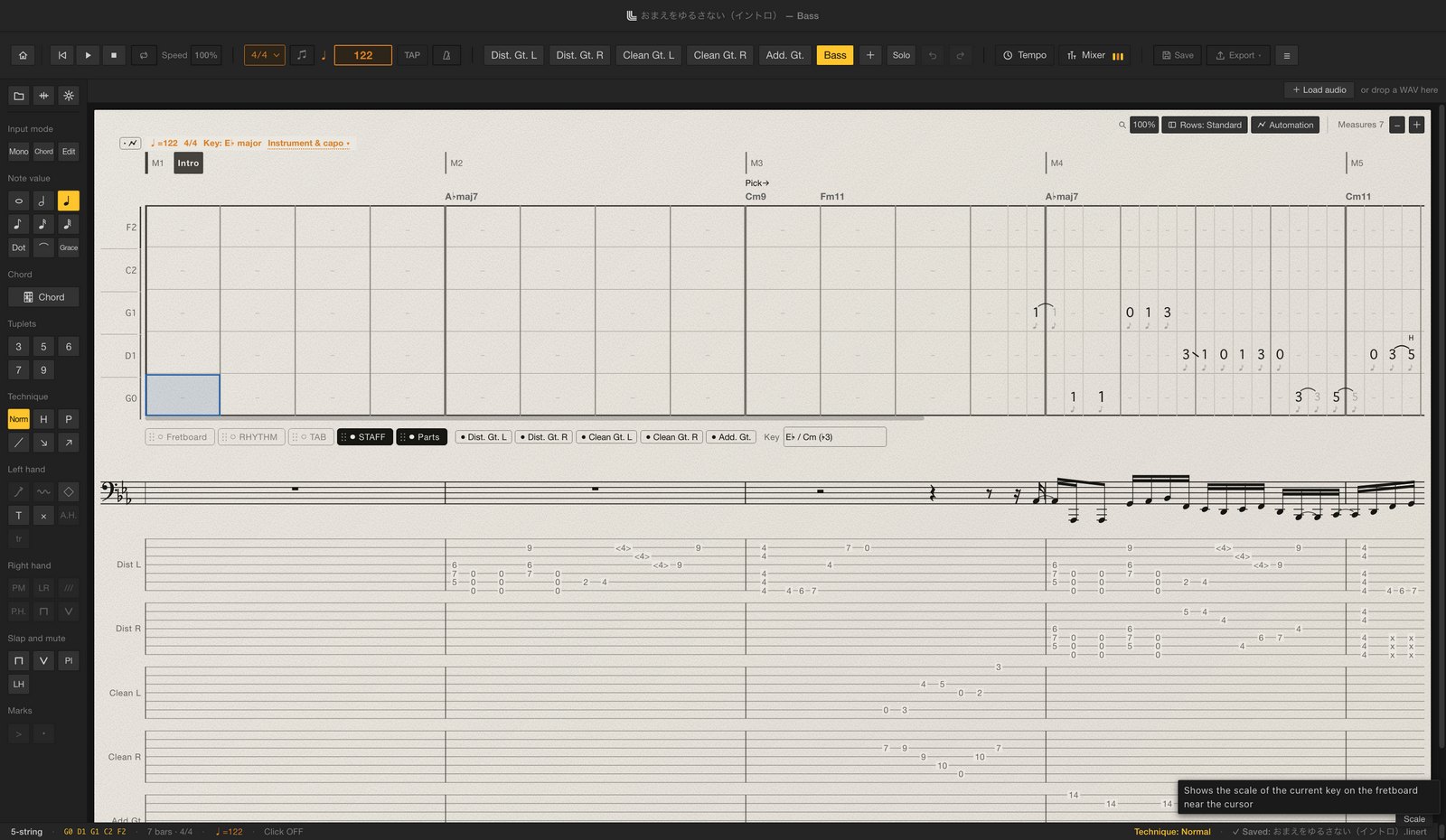
A new interface
Stacking several parts meant the parts had to sit one above the other, so I rebuilt the interface from scratch.
The features are the same; some have moved. Technique buttons live in the notation palette on the left. Tuning and tone are in the palette, or in the Instrument section of the bar menu (click a bar number). The language setting is in the ≡ menu.
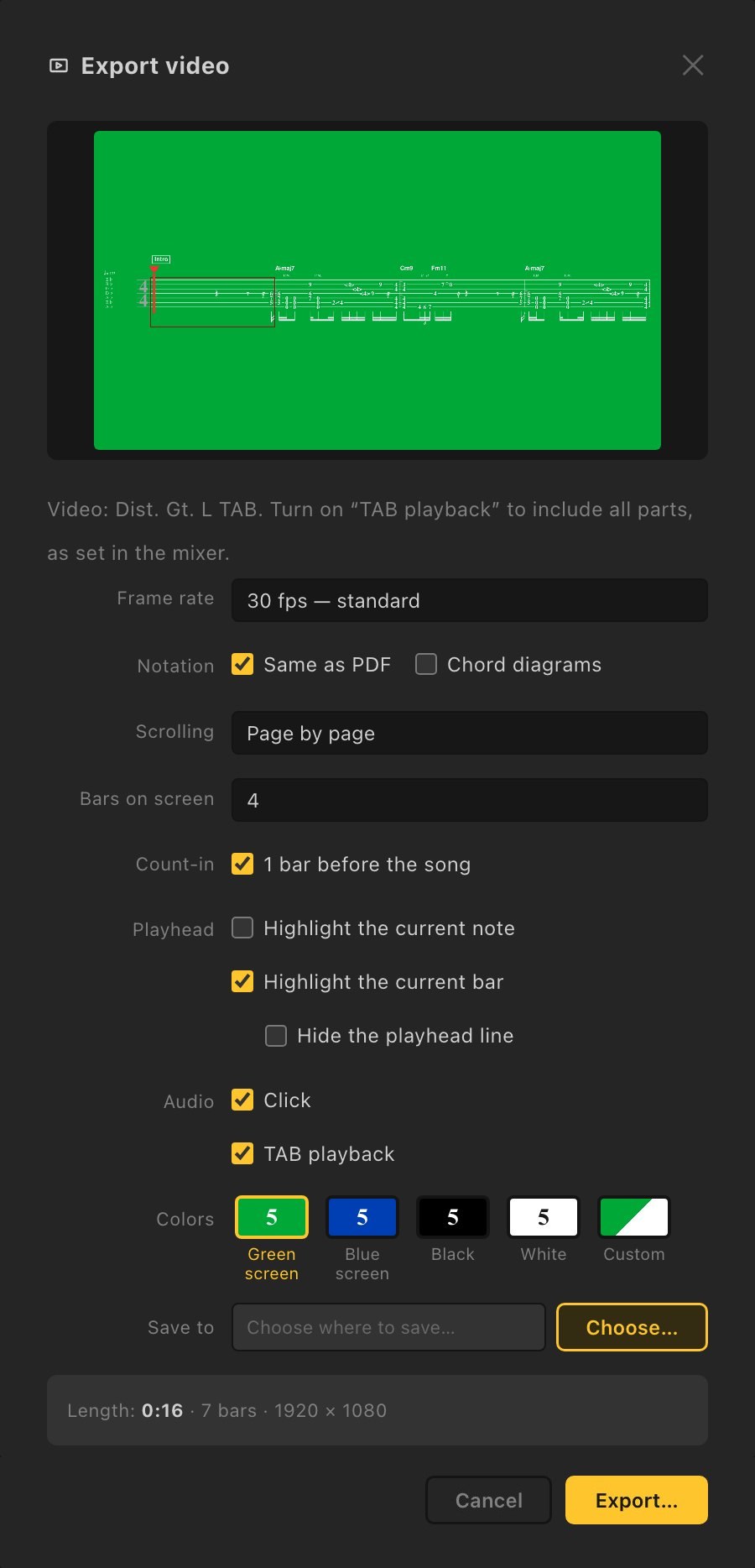
One thing is gone: the "Same as the editor" look for video export, which showed a rhythm staff under the tab. Videos now use the "Same as PDF" look.
If the new layout feels unfamiliar, try the Tutorial (about a minute and a half) and How to use Linert, both in the ≡ menu.
03
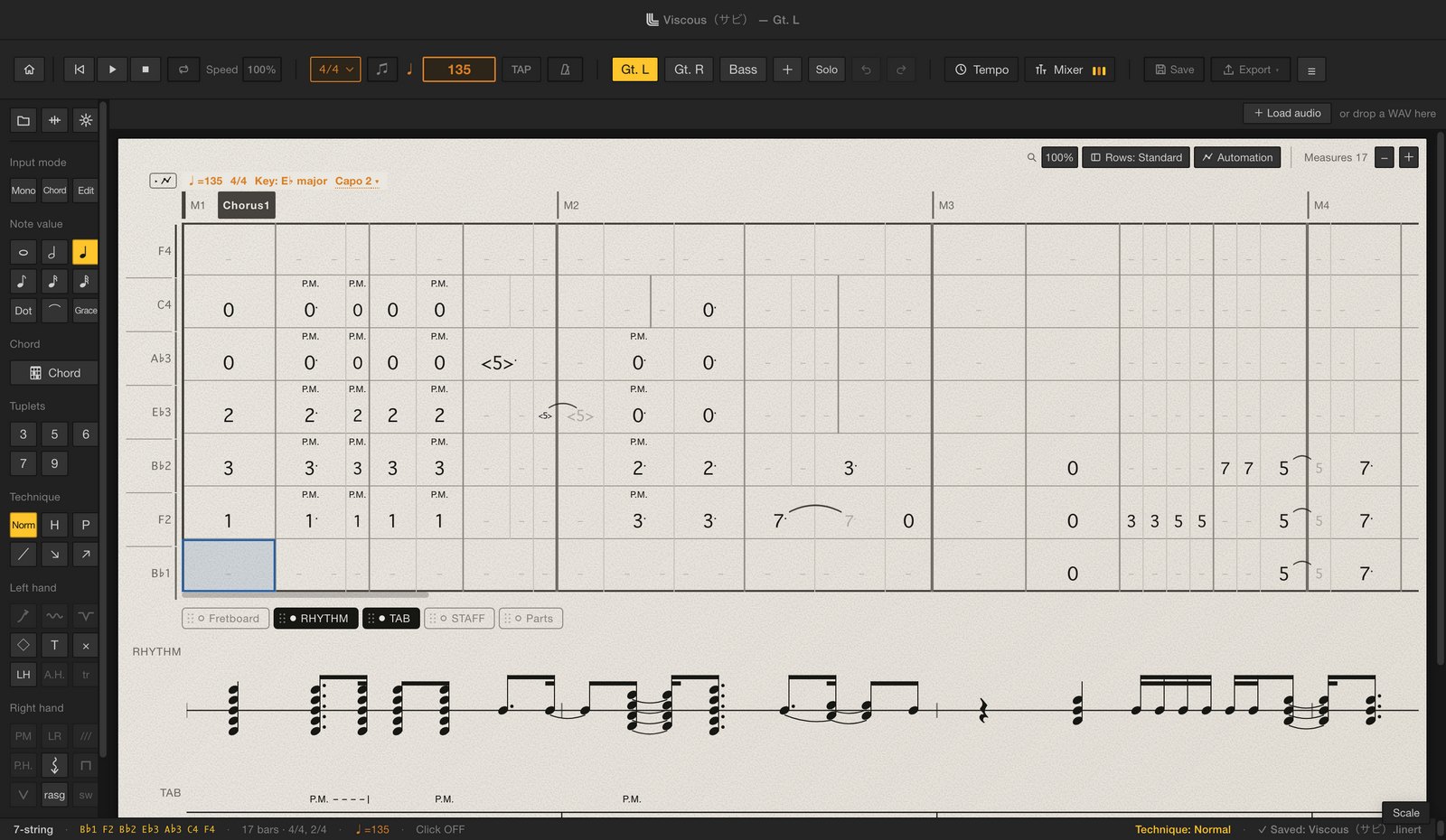
Now you can write guitar parts
Editing guitar parts takes a Highline license.
I bought a 7-string guitar to build Highline. The music I want to make needs a 7-string, so I recorded it myself and made sure it sounds real all the way down into drop tunings.
Here's what you can do:
- 6 to 8 strings, alternate tunings, capo and partial capo. Down-tuned strings show as flats, like E♭ and A♭
- Stack notes on different strings at the same spot to write chords
- Bends, vibrato, whammy bar, palm muting, let ring, harmonics (natural, artificial and pinch), strums, rasgueado, tremolo picking, trills and sweeps
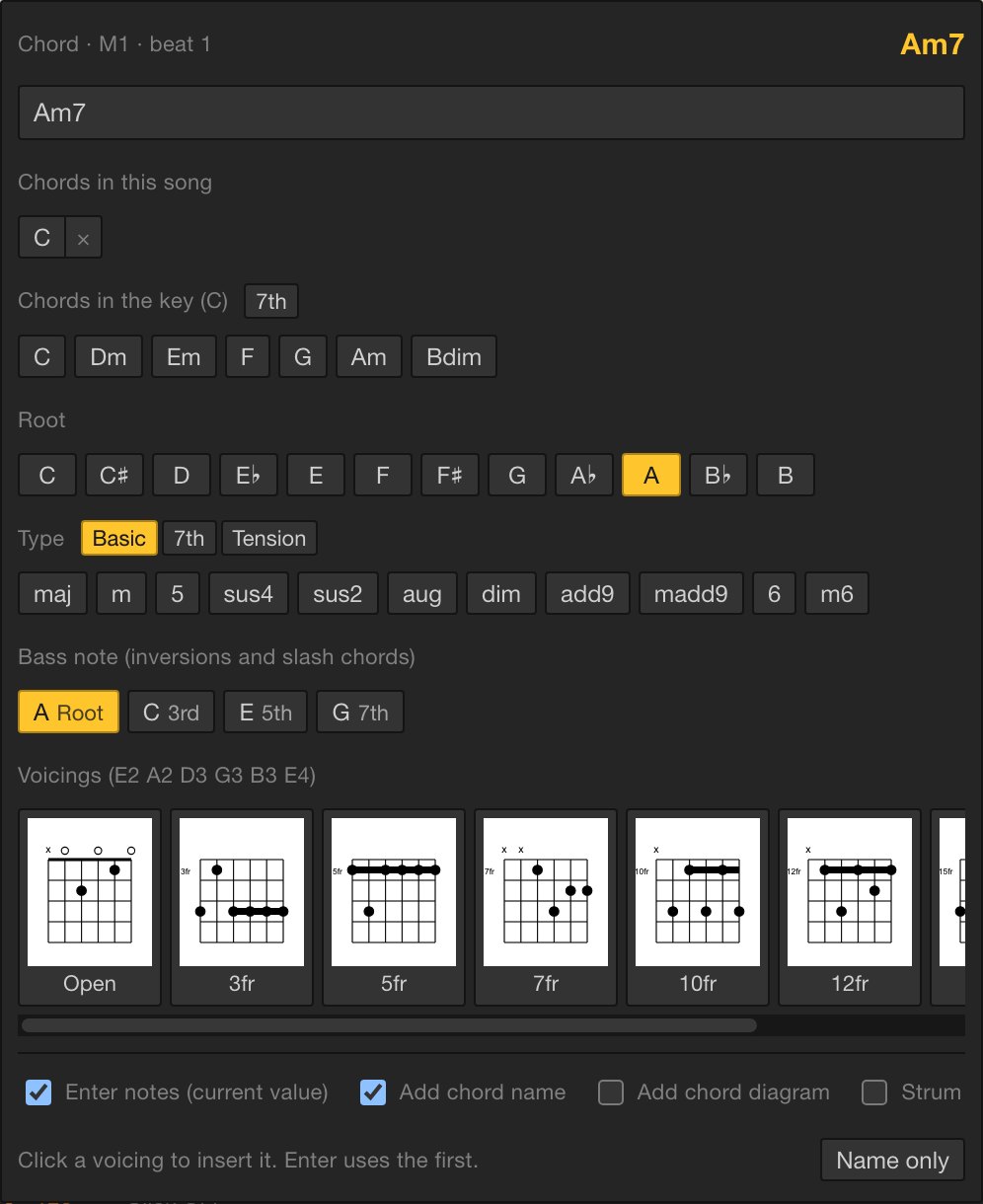
- Type a chord name and pick a shape, and the tab and the chord name go in together. Shapes are worked out for your current tuning and capo
- Playback in Clean, Crunch and Dist, switchable while it plays
- Draft tab from a guitar-only recording (WAV). It's a draft, so plan on fixing it by ear
I wanted it to be easy to write guitar parts even if you don't play much guitar. Chords go in with a single key, C, and you can show the current key's scale on a fretboard. It works for songwriting, too.
04
More for bass, too
All of this works with just a Lowline license:
- Stack as many parts as you like in one song. Bar lines are shared across parts, and you switch parts from the top bar. You can open and play guitar parts without a Highline license
- A mixer with volume, pan and tone per part, plus filter, chorus, delay and reverb. You can automate them, too
- Repeat signs (repeats, voltas, D.S., D.C., coda), played back in order
- Practice playback from 50 to 100% speed without changing the pitch. Your backing track slows down with it
- Automatic chord names from your notes or from the song's audio
- Export all parts to PDF, a full score PDF, Guitar Pro (.gp) and MusicXML. Gradual tempo changes come along too
- Save riffs as phrases and paste them with a right-click
- A fretboard view and a scale guide for the current key
- Three example songs by my band été: "Unforgivable (Intro)", "Viscous (Chorus)" and "言ゥ虎pia"
More ways to make tab videos
- Page by page: shows 1 to 4 bars at a time while the playhead moves. This one came from a user's request
- Highlight the note or bar that's playing
- Export just the loop range
- Chord diagrams: shows the shape you're playing, big, in the middle of the frame. Pick it together with the tab video and you get both files in one go
The full walkthrough is in How to make a scrolling bass tab video.
05
Tightline now does guitar
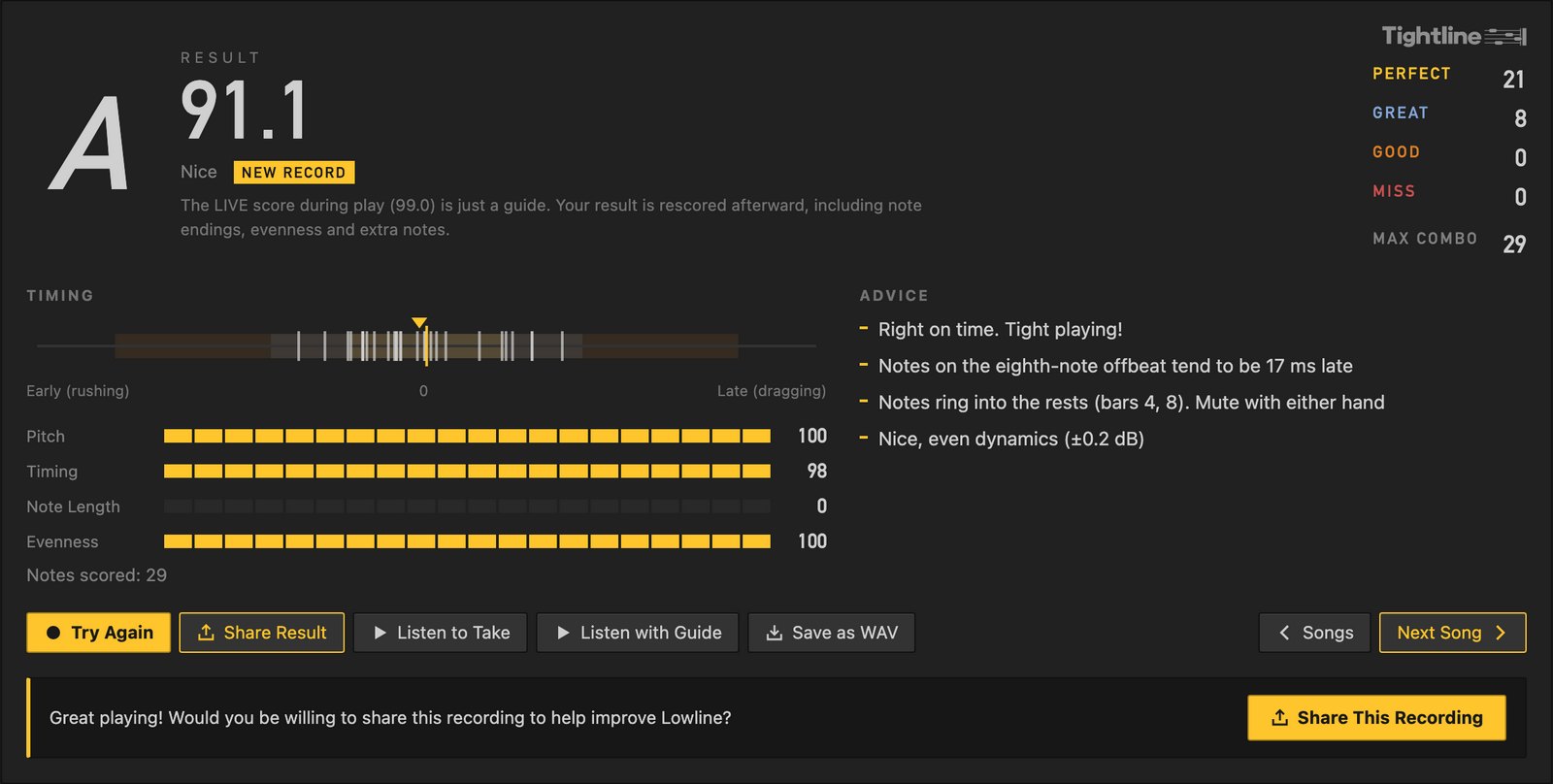
Tightline, the practice tool that scores your playing against the tab, now works with guitar as well. The web version is free and needs no account. You can also play songs by my band été, like "言ゥ虎pia" and "Viscous".
With a Lowline or Highline license, you can open Tightline inside Linert too. There are no ads in the app, and you can score the part you're working on from the first bar to the last. (On the web, your own tab files are scored up to 8 bars at a time.)
06
Pricing and licenses
| Lowline (bass) | Highline (guitar) | |
|---|---|---|
| Price | ¥2,980 before tax (about US$20) | ¥2,980 before tax (about US$20) |
| Payment | One-time | One-time |
| Computers | 2 | 2 |
Either one gets you started, and you can add the other later. To edit both instruments, you'll need both licenses (¥5,960 before tax).
If you own Lowline, you've already got the bass side covered. Add Highline whenever you want to write guitar.
Beatline, for drums, is coming soon. It's a separate license and isn't on sale yet.
You can get a full refund within 30 days of purchase, no questions asked. Linert runs on Mac (macOS 13 or later) and Windows 10/11, and you can mix the two across your two computers.
07
What it can't do yet
- No iPad or phone version
- Audio import is WAV only. Export MP3s and other formats to WAV from your DAW first
- Drafts from a recording are drafts. Guitar chords in particular get missed, so check by ear
- Video export is 16:9 (1920×1080) only. For vertical videos, use it as a strip
FAQ
FAQ
- I own Lowline. Do I have to pay?
- No. Your current license keeps working for bass parts.
- Do I need Highline if I don't write guitar?
- No. You can open and listen to songs with guitar parts without it.
- The app disappeared after the update
- It's been renamed to Linert. Open Linert from your Applications folder, and put it back in your Dock if you used to keep Lowline there.
- Can I stay on Lowline and skip the update?
- On Mac, the update replaces Lowline once it's ready. Even if you click "Later", it installs the next time you quit. Nothing is taken away; you get a new interface.
- Can Lowline 1.x open songs saved in Linert?
- Songs saved back to .btab, yes. .linert files, no.
- Does it open Guitar Pro files?
- Yes, .gp files from Guitar Pro 7 and 8, with their guitar and bass tracks.
- Can I try it first?
- Yes. In the browser demo you can pick guitar or bass, write up to 8 bars and hear it with real sound. Saving and exporting are in the full version.
Built to back up the whole band
I don't want Linert to be just a place to type in tab. Write a song and hand the tab to your bandmates. Post a tab video. Practice the song in Tightline. Next, I'm planning to let you put your band's songs into Tightline as ads. The goal is an app that backs up everything your band does.
It's packed with the things I kept wishing for while writing out dozens of my own songs. Give it a try.
More from this blog: How to make a scrolling bass tab video · A Guitar Pro alternative for bass